15 Best Free AI Tools for Productivity in 2026: What’s Actually Worth Using?
Most AI-tool lists repeat ChatGPT, Claude and Gemini. We researched 15 lesser-known free tools that can actually save time across meetings, research, automation, notes, visuals and deep work.
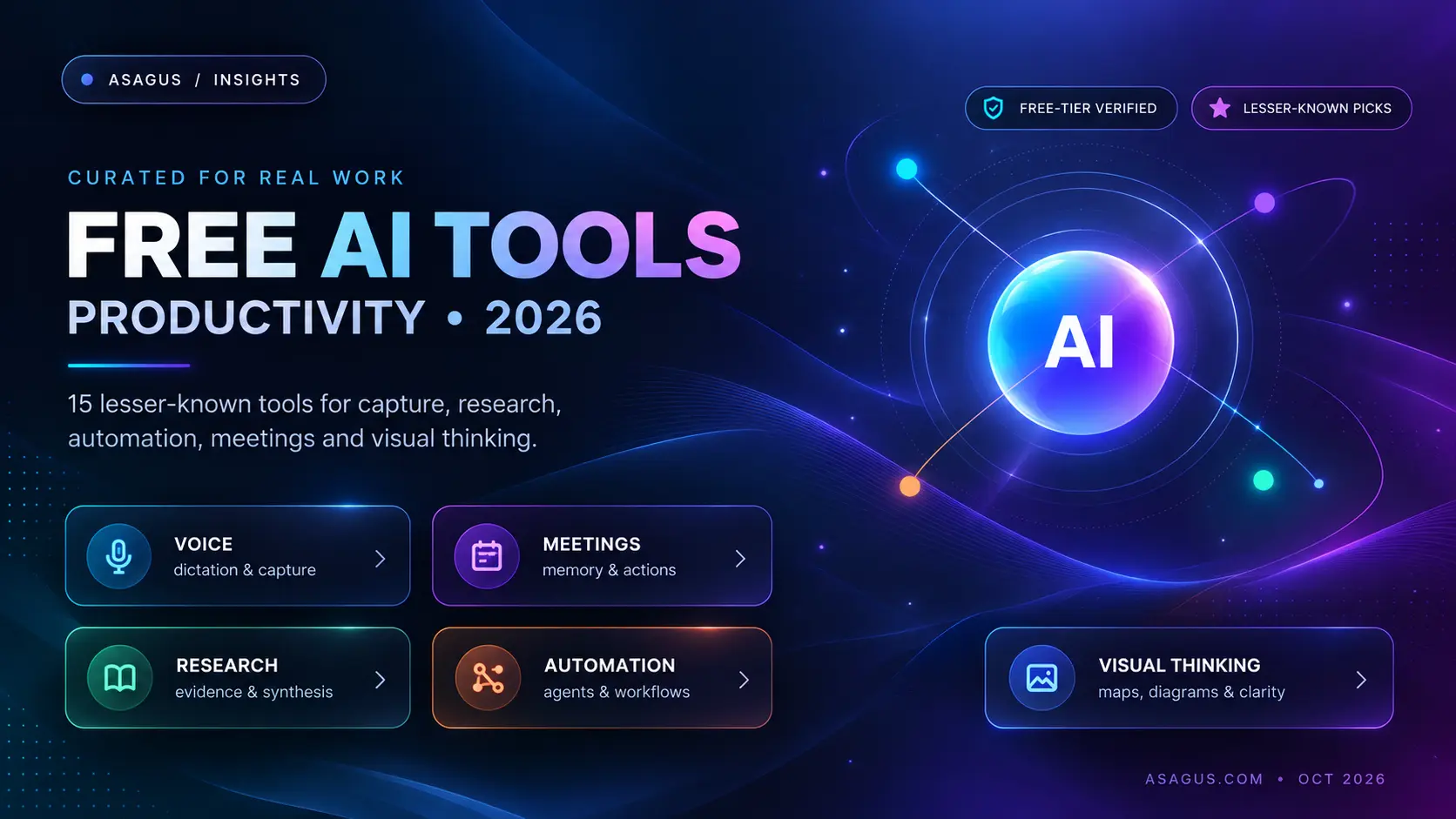
Most lists of the best free AI tools for productivity in 2026 still recommend the same familiar names: ChatGPT, Claude, Gemini, Perplexity, Canva, and Notion AI.
They are useful tools. But if you already work with AI, that list probably does not help you discover anything new.
For this guide, we took a different approach. Instead of collecting the biggest AI brands, we looked for tools that solve a specific productivity problem unusually well: capturing thoughts faster, remembering meetings, organizing scattered knowledge, automating repetitive work, finding serious research, or turning dense information into something easier to understand.
We also checked the current free-plan information available from each product as of October 3, 2026. That matters because “free” can mean very different things: a renewable free plan, a weekly allowance, one-time starter credits, or free software that still requires your own model API key.
Our main rule was simple: a productivity tool should remove work you already dislike doing. It should not give you another dashboard to maintain.
Quick answer: the 15 free AI tools worth knowing in 2026
ToolBest forFree accessMain catch Wispr FlowVoice-to-text across your computer and phoneOngoing free planWeekly dictation limits on some platforms GranolaBot-free meeting notesFree Basic planOlder meeting history is limited VoicenotesMeetings, voice memos and personal voice memory100 transcription minutes per weekFree history is limited to 30 days Saner.AICombining notes, tasks, calendar and personal knowledgeOngoing free planAI requests are limited TanaTurning meetings and notes into connected workFree planLimited meetings and AI queries Kuse CoworkLocal files, AI agents and private desktop workflowsFree and open sourceYou may need your own model/API key GumloopNo-code AI workflow automation5,000 credits per monthComplex automations consume credits ManusDelegating multi-step tasks to an autonomous agentFree plan with refresh creditsFree usage is tightly capped Taskade GenesisCreating small AI apps, agents and automationsFree plan with starter AI creditsAI credit grant is mostly one-time FeloMultilingual web research and searchFree daily allowanceAdvanced models and workspaces are paid UndermindFinding difficult or obscure academic literatureFree exploratory planDeep ongoing use has rate limits ElicitLiterature reviews and extracting evidence from papersFree Basic planAdvanced research workflows are limited ConsensusAnswering questions from peer-reviewed researchFree research tierDeep reviews and AI integrations are capped Napkin AITurning written ideas into diagrams and visuals500 AI credits per weekFree exports include Napkin branding MapifyTurning PDFs, YouTube videos and documents into mind maps30 starter AI creditsThe free AI credits are one-time
Free-plan allowances change frequently. The limits above were checked against current product information on October 3, 2026.
How we chose these tools
This is not a ranking of which company has the most powerful language model.
We looked for tools with a clear job-to-be-done. A tool made the list when it met most of these conditions:
It solves a recurring productivity problem rather than adding a novelty AI feature.
There is enough free access to understand whether the workflow is genuinely useful.
It offers something meaningfully different from simply opening a general-purpose chatbot.
The product is active in 2026 and its current functionality can be verified.
The free-plan limitations are understandable enough that a user can make an informed choice.
It can fit into a broader workflow instead of trapping all useful context inside a single chat window.
That last point matters increasingly in 2026. Productivity is moving away from “ask an AI a question” toward systems that can capture context, retrieve knowledge, call tools, automate work and hand useful information to other systems.
If you are interested in that shift at the protocol level, our complete guide to the Model Context Protocol (MCP) explains how AI applications are starting to connect to external tools and data in a standardized way.
Voice, meetings and capture
1. Wispr Flow — best for replacing typing with voice
Wispr Flow is one of the more practical AI productivity tools because it does not ask you to change where you work. Instead, it replaces typing inside the apps you already use.
You speak, and Flow turns that speech into polished text wherever your cursor is: email, Slack, documents, messages, an AI prompt, or another text field.
The distinction from basic transcription is important. A conventional speech-to-text tool tries to reproduce exactly what you said. Flow is designed around dictation as writing: cleaning up speech, learning names and terminology, and letting you continue working without moving text between applications.
Free-plan value: the current free plan includes dictation across supported desktop and mobile platforms, 100+ languages, a personal dictionary and access to its meeting Notetaker. Current official limits vary by platform, so heavy users will eventually hit the free allowance.
Best for: founders, writers, developers, salespeople and anyone who thinks faster than they type.
Skip it if: most of your work already happens through short keyboard commands or structured forms where dictation does not save meaningful time.
2. Granola — best for meetings without a visible meeting bot
Granola approaches AI meeting notes differently from many meeting assistants. It can capture a meeting from your computer rather than placing a separate bot participant into every call.
That makes it especially useful when you want notes without changing the social dynamic of a Zoom, Google Meet or Teams conversation.
Granola combines the transcript with your own notes and can then produce cleaner summaries, action items and searchable meeting context. Its integrations have also expanded well beyond note storage, including ways to make meeting history available to other AI tools.
Free-plan value: Basic is currently $0 and includes AI meeting notes, AI chat within and across meetings, templates, shared folders and multi-language support. You can keep taking meeting notes, but the free plan limits how much older history you can continue working with.
Best for: people with multiple calls every day who want searchable meeting memory without another bot joining their calls.
Skip it if: you need long-term unlimited meeting history without paying.
3. Voicenotes — best for capturing conversations and thoughts in one place
Voicenotes is more interesting when you think of it as a voice memory system rather than just a meeting recorder.
It handles meetings, quick personal memos and dictation inside the same workflow. That means the idea you record while walking, the call you had in the afternoon and the note you dictated before bed can all become searchable text rather than disappearing into separate recording apps.
The free Basic plan currently includes 100 transcription minutes each week across meetings, memos and dictation. It also keeps unlimited raw recordings and provides access to the last 30 days of note history.
Best for: people who regularly have useful thoughts away from their desk and want one searchable place for spoken information.
Skip it if: you need a permanent searchable archive on the free tier.
Knowledge, planning and personal context
4. Saner.AI — best for people whose work is scattered across too many places
Many productivity systems fail because they expect you to manually keep notes, tasks, reminders and context organized.
Saner.AI is interesting because it tries to reduce that organizational burden. It combines notes and tasks with AI search and can connect information from services such as Google Drive, email, Slack and calendars.
Instead of remembering which folder contains a document or which note mentioned an idea, the goal is to retrieve information through natural language and work from one connected personal context.
The free plan currently includes 100 notes, 100 MB of storage, task features, data synchronization and a limited monthly AI allowance.
Best for: founders, students, researchers and knowledge workers whose main problem is not generating more text but finding what they already know.
Skip it if: you already have a disciplined knowledge-management system that you consistently maintain.
5. Tana — best for turning meeting information into connected work
Tana sits somewhere between a knowledge graph, task manager and AI meeting workspace.
The useful idea is not simply that it can summarize a meeting. It can connect people, decisions, projects, notes and tasks so the information from one conversation becomes context for later work.
That matters for teams that currently finish a meeting with a summary but still have to manually convert decisions into specs, tasks and follow-ups.
The current free plan includes up to five hosted meetings a month, one calendar connection and 50 AI queries. Tana's knowledge structure can still be useful beyond its meeting features, but intensive AI usage requires a paid tier.
Best for: product teams, project-heavy founders and people who want meetings to become structured knowledge instead of isolated transcripts.
Skip it if: you only want simple meeting notes. Granola or Voicenotes will generally create less workflow overhead.
6. Kuse Cowork — best for developers and researchers who want more local control
Kuse Cowork is one of the less conventional tools on this list.
It is an open-source AI coworker designed to work with local files, documents and agent workflows. It supports multiple model providers, MCP integrations and local models through Ollama. Agent commands and code execution can also be isolated using Docker.
The important pricing distinction is that Kuse Cowork itself is free and open source, but “free software” does not automatically mean “free inference.” If you connect paid OpenAI, Anthropic or other model APIs, those providers can still charge for model usage. You can also use compatible local models.
Best for: technical users who care about model choice, local files, self-hosting, MCP and avoiding dependence on a single AI provider.
Skip it if: you want a completely managed experience with zero setup.
For developers interested in extending AI systems with tools, our guide to building ChatGPT MCP apps covers the architecture behind these connected workflows.
Automation and AI agents
7. Gumloop — best for building AI automations without writing the whole system yourself
Gumloop is useful when the task you want to eliminate involves several steps rather than one prompt.
You can build workflows that move between web data, models, internal information and business applications. The interface is visual, so it is accessible to non-developers, but the underlying idea is closer to orchestrating an AI workflow than simply generating text.
Examples include extracting information from incoming documents, researching leads, classifying records, enriching CRM data or transforming information before sending it into another system.
The current free tier provides around 5,000 credits per month, making it useful for learning the platform and running smaller automations.
Best for: operations, growth, research and small teams that repeatedly move information between systems.
Skip it if: your workflow is business-critical, high-volume or needs strict custom behavior that a visual automation layer cannot model reliably.
When a no-code workflow reaches that point, the problem often changes from “which tool should we use?” to “what should we build?” Our data engineering and workflow automation work focuses on those deeper integrations.
8. Manus — best for delegating a complete multi-step task
Manus belongs to a newer category of AI tool: instead of answering a single prompt, it attempts to complete a goal through several steps.
That makes it more useful for jobs such as gathering information, comparing sources, organizing results or producing a deliverable that would otherwise involve several browser and reasoning steps.
The free plan includes refresh credits, but this is one of the tools where the word “free” needs a footnote. Manus currently gives free accounts daily refresh credits, while its help documentation also places a monthly cap on how many of those refresh credits a free user can consume.
Best for: occasional delegated research or multi-step tasks where an agent can save meaningful manual effort.
Skip it if: you need predictable high-volume automation. Agent credit systems can become a poor substitute for a deterministic workflow when the same task runs hundreds of times.
9. Taskade Genesis — best for turning an idea into a lightweight AI app
Taskade Genesis goes further than the traditional task-management version of Taskade.
You can describe an application or workflow and use AI to generate a small system containing interfaces, agents and automations. That makes it useful for quickly testing an internal tool, client portal, lightweight CRM workflow or AI-powered utility without starting from an empty repository.
The free plan provides a one-time AI credit grant for building and experimenting. Current pricing also allows a limited number of Genesis apps and basic agent/automation usage.
This is another case where “free” should not be interpreted as unlimited monthly AI generation. The initial grant is primarily designed to let you build and test the product.
Best for: founders and operators validating an internal-tool or workflow idea before committing engineering resources.
Skip it if: the application will hold critical business logic, sensitive data or complex integrations that require full architectural control.
Research and evidence
10. Felo — best for multilingual search and quick research workflows
Felo is easy to overlook if your AI search workflow begins and ends with the most popular Western search assistants.
Its strength is multilingual research and combining search with several content-processing workflows. The current standard plan is free and includes unlimited fast searches, a small daily allowance for professional searches and file analysis, plus daily bonus credits.
For people who research information across languages, that can be more valuable than having yet another general chatbot.
Best for: international research, multilingual information discovery and quick synthesis across web sources.
Skip it if: your research requires rigorous academic evidence. Elicit, Consensus or Undermind are more specialized for that job.
11. Undermind — best for finding papers that ordinary academic search misses
Undermind describes itself as an AI co-researcher, and that framing is useful.
Instead of treating literature search as a single query, it is designed for deeper exploration where the relevant paper may use different terminology, sit several citation hops away, or not be obvious from a conventional keyword search.
Its free plan is intended for exploratory research and includes AI chat, deep searches, reports, shared workspaces and connections to external AI agents, subject to standard rate limits.
Best for: researchers, engineers and graduate students trying to map an unfamiliar technical literature or locate less-obvious papers.
Skip it if: you only need a quick answer to a research question. Consensus will usually be faster.
12. Elicit — best for systematic evidence extraction from research papers
Elicit becomes valuable when your problem is not “find me a paper” but “help me compare evidence across many papers.”
Its workflow is built around academic research. You can search a very large paper database, summarize studies, inspect sources and chat with papers for which full text is available.
The current free Basic plan offers unlimited search across more than 138 million papers, unlimited summaries and source viewing, while more advanced research-agent and systematic-review workflows are limited.
Best for: literature reviews, evidence tables and technical research where claims need to be traced back to papers.
Skip it if: your problem is general web research rather than scholarly literature.
13. Consensus — best for asking a question and seeing what research says
Consensus occupies a useful middle ground between a search engine and a literature-review tool.
You can ask a natural-language question and get results grounded in peer-reviewed research rather than general web pages. Its database currently covers more than 220 million research papers.
The free tier includes unlimited basic paper searches, limited advanced AI messages, three Deep Reviews per month, Study Snapshots and a small monthly pool of API/MCP calls.
Best for: quickly checking whether research supports a claim before you repeat it in a report, presentation or article.
Skip it if: you need a full systematic review workflow with large-scale screening and extraction. Elicit is better designed for that process.
Visual thinking and information compression
14. Napkin AI — best for turning a paragraph into a useful visual
Napkin AI is most valuable when you already have an idea but need a diagram, framework or process visual to explain it.
You can give it text and generate editable visuals rather than manually drawing every box, arrow and relationship in a presentation tool.
That makes it particularly useful for consultants, founders, product managers, teachers and technical writers who frequently explain systems rather than produce illustration-heavy creative work.
The Free plan currently includes 500 AI credits per week, unlimited visual editing and unlimited PNG/PDF export. Napkin branding remains on free visuals, while higher tiers expand exports and customization.
Best for: architecture concepts, processes, frameworks, presentations and explanatory blog graphics.
Skip it if: you rarely create visual explanations. An AI tool that solves a task you do twice a year is not a productivity tool for you.
15. Mapify — best for turning long information into a navigable mind map
Mapify is useful for the opposite direction: instead of turning an idea into a diagram, it can turn an existing information source into a map.
It can process PDFs, documents, YouTube videos, audio and written prompts, then organize the material into a visual structure that is easier to scan.
The catch is important. Mapify currently gives free users 30 one-time AI credits, including a limited number of document and YouTube mind maps. This is enough to evaluate the workflow, but it is closer to a starter allowance than a renewable free productivity plan.
Best for: students, researchers and visual thinkers who understand complex material better as a hierarchy or map.
Skip it if: you are looking for a permanently generous free tier.
Which free AI productivity tool should you actually choose?
The easiest way to waste time with AI in 2026 is to sign up for fifteen tools after reading a list of fifteen tools.
A better approach is to find the bottleneck in your existing day.
If your problem is...Start with... You spend too much time typingWispr FlowYou lose decisions after meetingsGranola or TanaYou have useful ideas away from your deskVoicenotesYour notes, tasks and context are scatteredSaner.AIYou want a local/open AI coworkerKuse CoworkYou manually repeat the same multi-app processGumloopYou want to delegate an occasional multi-step taskManusYou want to prototype a lightweight AI appTaskade GenesisYou research information across languagesFeloYou need difficult-to-find academic literatureUndermindYou need structured evidence from many papersElicitYou want a fast research-backed answerConsensusYou repeatedly create diagramsNapkin AIYou learn better from visual mapsMapify
“Free AI tool” does not always mean free in the same way
Before building a workflow around any free AI product, check what kind of free access it actually offers.
1. Renewable free tier
Tools such as Wispr Flow, Granola, Voicenotes, Saner.AI, Tana, Gumloop, Felo, Napkin, Undermind, Elicit and Consensus currently provide some form of recurring free usage.
2. One-time starter allowance
Taskade Genesis and Mapify are useful examples. You can meaningfully evaluate them without paying, but the AI allowance is not equivalent to a large monthly free quota.
3. Free software, paid model usage
Kuse Cowork is open source and free to use, but connecting a commercial model through your own API key may still create model-provider charges.
4. Agent credits
Tools such as Manus expose free agent usage through credits. The right question is not simply “how many credits do I get?” but how much useful work one real task consumes.
This distinction matters because an impressive free allowance can disappear quickly if every multi-step agent run consumes hundreds of credits.
What we intentionally left off this list
We did not exclude ChatGPT, Claude, Gemini, Perplexity, NotebookLM, Canva or similar tools because they are bad products. We excluded them because most people searching for new AI productivity tools already know they exist.
The purpose of this guide is discovery.
We also removed products when the “free” label would be misleading. For example, a short trial is not the same thing as an ongoing free plan.
And we checked whether products were still active. That sounds obvious, but fast-moving AI-tool lists often continue recommending software long after its pricing, product direction or even existence has changed.
The most productive AI stack is usually smaller, not larger
You probably do not need fifteen AI tools.
For most knowledge workers, a useful stack can be reduced to three layers:
Capture: get information out of your head or out of a meeting without friction.
Organize and retrieve: preserve enough context that information can be found later.
Execute: automate or delegate the repetitive work that follows.
A founder, for example, could use:
Wispr Flow to capture thoughts and draft communication faster,
Granola or Tana to preserve meeting context, and
Gumloop to automate repetitive information movement between systems.
A researcher could instead use:
Voicenotes for quick capture,
Undermind or Elicit for literature discovery and evidence, and
Napkin AI to turn the final explanation into a visual.
The exact products matter less than whether each one owns a clear part of the workflow.
When free AI tools stop being enough
Off-the-shelf AI tools are excellent when the workflow is common and the software already solves most of the problem.
They become less effective when your process depends on private business data, several internal systems, unusual approval rules, custom security boundaries, or a workflow that is central to how your organization operates.
At that point, stacking another AI subscription on top of the process can increase complexity instead of reducing it.
For workflows like that, the useful question becomes whether to integrate existing AI capabilities into your systems or build a purpose-specific layer around them.
ASAGUS works on AI and machine-learning systems and data engineering and workflow automation for cases where a general-purpose tool no longer fits the process.
Final take
The best AI productivity tool in 2026 is not the one with the longest feature list or the most capable model.
It is the one that removes a recurring piece of work from your day with the least additional friction.
If typing is the bottleneck, start with Wispr Flow.
If meetings disappear into forgotten notes, look at Granola, Tana or Voicenotes.
If information is scattered, try Saner.AI.
If repetitive processes are the problem, experiment with Gumloop.
If serious research is slowing you down, compare Undermind, Elicit and Consensus.
If your ideas are difficult to communicate visually, try Napkin AI.
Do not adopt all fifteen.
Pick one bottleneck, use one tool long enough to measure whether it removes that bottleneck, and only then add another.
If your workflow has outgrown general-purpose tools and requires deeper automation, private-data integration or a custom AI system, talk to ASAGUS about the workflow first. The right answer may be an existing tool, an integration, or a custom build — and that distinction is worth making before engineering starts.
Sources & References
- Wispr Flow Wispr Flow · Official Documentation
- Granola Granola · Official Documentation
- Voicenotes Voicenotes · Official Documentation
- Saner.AI Saner.AI · Official Documentation
- Tana Tana · Official Documentation
- Kuse Cowork Kuse Cowork · Official Documentation
- Gumloop Gumloop · Official Documentation
- Manus Manus · Official Documentation
- Taskade Taskade · Official Documentation
- Felo Felo · Other
- Undermind Undermind · Official Documentation
- Elicit Elicit · Official Documentation
- Consensus Consensus · Official Documentation
- Napkin AI Napkin AI · Official Documentation
- Mapify Mapify · Official Documentation