MCP Security in 2026: Risks, Best Practices & Checklist
MCP connects AI agents to real tools, data and business systems—but that creates new security boundaries. This guide explains the most important MCP risks, OAuth controls, prompt injection defenses, tool security and production best practices for 2026.
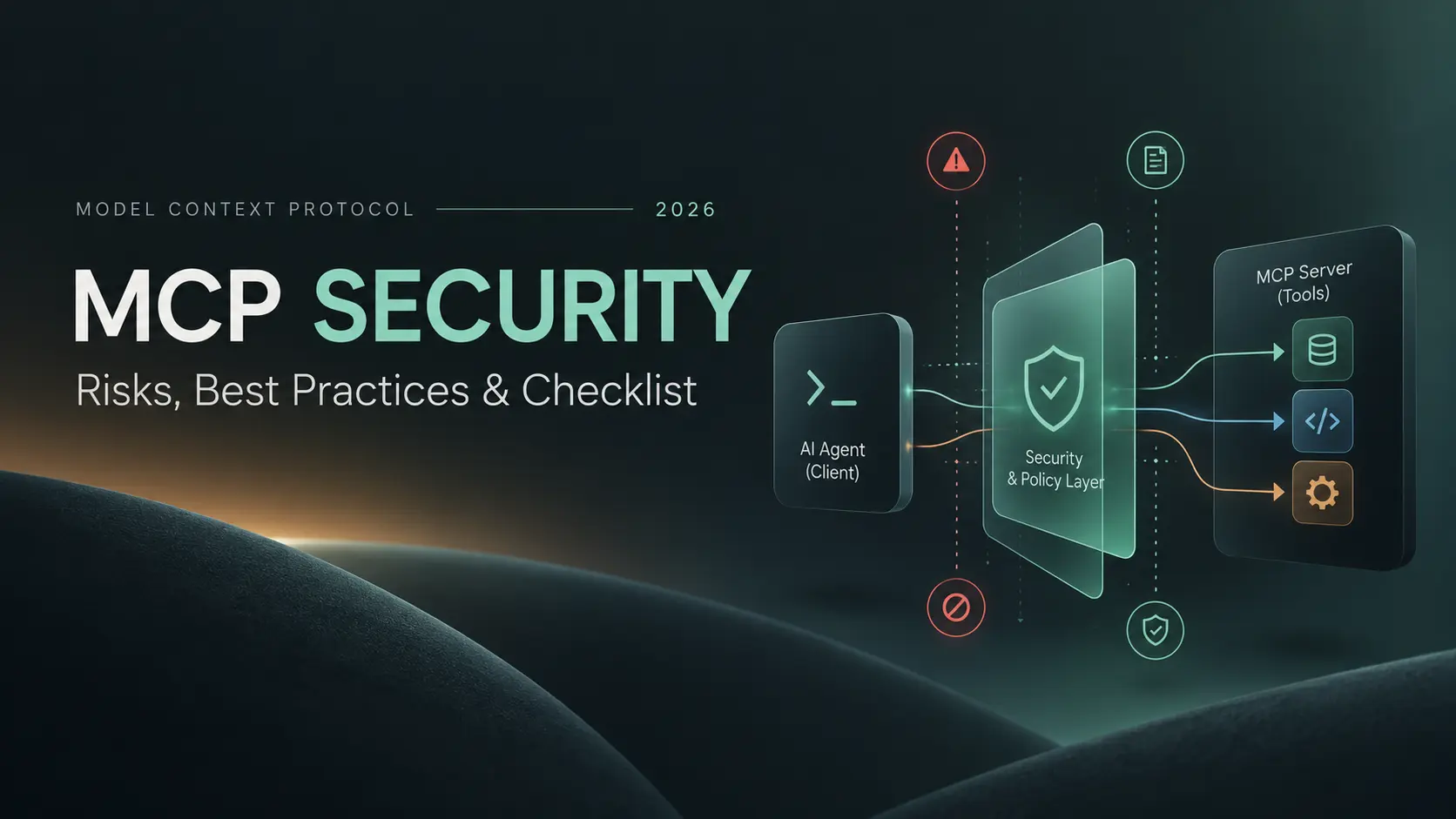
Model Context Protocol makes AI systems far more useful because it gives them a standard way to work with real tools, data, APIs and business systems.
That same capability is exactly why MCP security matters.
A normal chatbot can produce a bad answer. An MCP-connected agent may be able to read private files, search internal databases, send email, modify a CRM record, trigger an automation, call an external API or execute a local command. Once a language model can act through tools, security is no longer only about protecting prompts or API keys. It becomes a problem of identity, permissions, tool trust, untrusted content, network boundaries, supply chains and real-world side effects.
The most useful way to think about MCP security in 2026 is this: MCP is a trust chain. You are trusting the host, the client, the MCP server, its tool definitions, the credentials behind those tools, the data returned by external systems and the model that decides what to do with all of it.
Quick answer
Secure MCP deployments combine normal application security with agent-specific controls. Authenticate every protected request, bind tokens to the MCP server they were issued for, never pass raw MCP tokens downstream, expose only the minimum tools and scopes required, treat tool descriptions and tool output as untrusted content, validate every tool argument, isolate local servers, restrict network access, require explicit approval for sensitive actions, detect tool-definition changes, log security decisions and assume that prompt injection will eventually reach the agent.
Why MCP changes the security model
Traditional API security usually starts with deterministic software. Your application code decides which endpoint to call and what parameters to send.
With an AI agent, a model can participate in that decision.
The model reads the user's request, tool names, tool descriptions, retrieved documents, API results and other context. It then decides which capability to use. That creates a security property that ordinary API integrations do not normally have: content can influence execution.
A malicious instruction hidden in an email, support ticket, web page or tool description may not directly execute code. But if the agent believes that instruction and has a privileged tool available, the instruction can influence what the agent asks the tool to do.
That distinction is the foundation of the MCP threat model.
What changed in MCP security in 2026?
Many MCP tutorials still reflect earlier versions of the protocol. The current specification release is 2026-07-28, and security was one of the areas that received significant attention.
The July 2026 release moved MCP toward a stateless request-response core and hardened several parts of authorization. Among the important changes:
Authorization responses should carry an issuer identity and clients must validate it before completing the authorization flow.
Client credentials are bound to the authorization server that issued them instead of being reused across issuers.
Scope handling for step-up authorization became more explicit.
Client ID Metadata Documents became the preferred registration direction, while Dynamic Client Registration remains for backward compatibility but is deprecated.
Routable MCP headers make it easier for gateways, rate limiters and security infrastructure to identify MCP methods without inspecting every JSON body.
Enterprise-Managed Authorization is now a stable extension for organizations that want centrally managed MCP access.
These improvements strengthen the protocol, but they do not make an MCP deployment secure automatically. Authorization solves only part of the problem. Tool behavior, prompt injection, supply-chain risk and application-level permissions still need separate controls.
The MCP trust chain
A useful security review starts by separating the system into trust boundaries.
BoundaryWhat crosses itMain riskUser → AI hostRequests, files and instructionsUntrusted or ambiguous intentHost → MCP serverIdentity, tokens and tool callsAuthentication and authorization failureMCP server → downstream systemAPI calls, database queries and credentialsExcessive privilege or credential misuseExternal content → model contextWeb pages, email, documents and tool outputIndirect prompt injectionThird-party package → local runtimeServer code and dependenciesSupply-chain compromise
Security becomes much easier to reason about when every boundary has an explicit policy instead of relying on the model to “do the right thing.”
1. Prompt injection becomes dangerous when tools can act
Prompt injection is not unique to MCP, but MCP can increase its impact because the model may have useful tools available when the injected instruction reaches it.
Consider an agent asked to summarize an external document. The document contains a hidden instruction telling the model to search a private source and send the result somewhere else.
The document cannot directly call the private tool. The attack works only if the model treats data from the document as an instruction and then chooses a privileged capability on the attacker's behalf.
The important security principle
Do not try to solve prompt injection only by writing a stronger system prompt. Assume untrusted instructions can eventually influence the model and make sure deterministic controls still prevent unacceptable actions.
Useful controls include:
Treat external text and tool responses as untrusted data.
Keep high-privilege tools away from workflows that routinely consume arbitrary public content.
Require human approval for sensitive write actions.
Apply authorization at the execution layer rather than in the prompt.
Limit network destinations that tools can reach.
Never let the model decide whether it is allowed to bypass a security policy.
2. Tool poisoning can turn metadata into an attack surface
The model does not see tools the way a user sees a button. It usually receives structured metadata describing what each tool does, what arguments it accepts and what the result means.
That metadata can influence model behavior.
A malicious or compromised MCP server can therefore expose a normal-looking tool while hiding manipulative instructions inside its description, schema or returned content.
This is known as tool poisoning.
When connecting a third-party server:
Inspect the complete tool definition, not only the display name.
Record or hash approved definitions.
Require re-review when tool definitions materially change.
Namespace tools by server identity to reduce cross-server confusion.
Treat tool output as untrusted even when the server itself is legitimate.
A trusted server can still return untrusted content if it reads public emails, web pages, issue descriptions or other attacker-controlled information.
3. Tool annotations are useful hints, not security guarantees
MCP tools can carry annotations that describe behavior such as whether a tool is read-only, destructive, idempotent or reaches the open world.
Those hints are valuable. A client can use them to decide whether a tool deserves an approval dialog or whether a retry might be safe.
But the MCP maintainers are explicit about an important limitation: annotations are hints. An untrusted server can lie.
Good use of annotations
A trusted internal server marks a deletion tool as destructive, so the client always displays a confirmation containing the exact resources that will be removed.
Bad use of annotations
A client automatically gives unrestricted access to an unknown third-party tool because that server claims the tool is read-only.
Anything that must be guaranteed belongs in deterministic authorization, sandboxing or network policy—not in self-declared metadata.
4. OAuth protects identity only when tokens stay inside the right boundary
Modern remote MCP authorization uses OAuth-style resource protection, but simply adding OAuth does not automatically make the system secure.
One of the most important current requirements is audience binding.
An MCP server should accept only access tokens intended for that server. A token issued for one service should not silently be accepted by another service.
This matters because otherwise a valid token can cross a boundary it was never designed to cross.
Never use token passthrough as a shortcut
If an MCP client gives the MCP server a token intended for the MCP server, the server should not simply forward that same bearer token to another API. The downstream system should receive a credential specifically issued for that downstream relationship.
A production authorization design should include:
Audience-bound tokens.
Issuer validation.
Short-lived credentials where practical.
Secure token storage.
Progressive scopes instead of immediately requesting the broadest possible access.
Independent downstream credentials instead of token passthrough.
Revocation paths for compromised clients or users.
5. Least privilege matters more when one agent can combine multiple tools
A tool can be safe in isolation and dangerous in combination.
For example:
one tool can read private files;
another can read arbitrary public web content; and
a third can send data to an external destination.
Each capability may appear reasonable. Together they create a path from untrusted content to private data exfiltration.
This is why MCP security has to be evaluated at the session or workflow level rather than tool by tool.
Good least-privilege design means:
Expose only tools required for the current workflow.
Prefer read-only operations by default.
Separate read and write capabilities.
Scope access to the current user and tenant.
Request elevated scopes only when they become necessary.
Reduce the number of systems one agent can reach simultaneously.
Require explicit confirmation before destructive, costly or externally visible actions.
6. Tool input validation should look like normal secure API engineering
The fact that an argument came from a language model does not make it trusted.
Tool inputs should be treated exactly like inputs arriving at any sensitive API boundary.
Use closed schemas, narrow types, allowlists and deterministic validation.
{
  "type": "object",
  "properties": {
    "customer_id": {
      "type": "string",
      "pattern": "^cus_[A-Za-z0-9]+$"
    },
    "status": {
      "type": "string",
      "enum": ["active", "paused"]
    }
  },
  "required": ["customer_id", "status"],
  "additionalProperties": false
}
Schema validation is not authorization. It only proves that the input has an acceptable shape.
The server must still verify that the authenticated user is allowed to modify that specific customer.
Never directly concatenate model-controlled input into shell commands, SQL, file paths, URLs or templates without appropriate validation and safe APIs.
7. Local MCP servers are local software, not automatically trusted software
Local MCP servers often run through stdio as child processes.
That can make them feel safer than remote servers because there is no public HTTP endpoint.
But a local server may run with the developer's own filesystem access, environment variables, SSH keys, cloud credentials and network permissions. If that server or one of its dependencies is malicious, the blast radius can be substantial.
Safer local deployment practices include:
Run without administrator or root privileges.
Strip unnecessary environment variables before starting the process.
Restrict filesystem access.
Restrict outbound network access when it is not required.
Use sandboxing or containers for higher-risk servers.
Pin reviewed dependencies and versions.
Do not install arbitrary MCP servers simply because the configuration is one line long.
8. Supply-chain security is part of MCP security
An MCP server can be secure by design and still be compromised through distribution.
Packages can be impersonated, dependencies can become malicious and a previously safe package can publish a compromised version.
A real example appeared in 2025 when a malicious npm package called postmark-mcp impersonated Postmark. After building trust through earlier releases, version 1.0.16 added malicious behavior that secretly copied email content to an external destination.
The lesson is larger than one package:
Verify whether a server is actually published by the organization it claims to represent.
Prefer official registries and vendor documentation.
Pin versions for important deployments.
Review meaningful updates before automatically trusting them.
Maintain a software bill of materials where appropriate.
Have a credential-rotation plan if a server is later discovered to be compromised.
9. Network access can become an SSRF and exfiltration channel
Many useful MCP tools accept URLs or communicate with external systems.
That can create two separate problems.
First, server-side request forgery can let attacker-controlled input point the server toward private infrastructure such as internal services or cloud metadata endpoints.
Second, unrestricted outbound communication can give an injected agent somewhere to send sensitive data.
For network-capable tools:
Allowlist destinations where possible.
Block private and metadata IP ranges unless explicitly required.
Resolve and validate redirects carefully.
Set strict response-size and timeout limits.
Inspect egress from high-privilege agents.
Separate tools that read sensitive information from tools that can communicate freely with the public internet.
10. Human approval must show the real action, not a friendly summary
Human-in-the-loop controls sound simple: ask the user before a sensitive action.
But the approval is useful only when the user can see what is actually going to happen.
A confirmation such as “Allow the assistant to continue?” provides almost no security value.
Weak approval
Allow AI agent to execute this tool?
Useful approval
Send an email from [email protected] to [email protected] with subject “Refund approved” and attach invoice-2841.pdf?
The approval should be bound to the exact action and parameters. If those parameters change afterward, the approval should no longer be valid.
11. Safe retries require idempotency and side-effect awareness
Agents retry.
Networks fail, APIs time out and models sometimes decide that another attempt is reasonable.
A read operation may be safe to repeat. Sending a payment, deleting a record or emailing a customer may not be.
This is where idempotency becomes a security and reliability property rather than a backend implementation detail.
For write tools:
Use idempotency keys where the downstream system supports them.
Record completed side effects before retrying.
Use bounded retries.
Escalate ambiguous outcomes instead of repeating high-impact actions blindly.
Do not trust an annotation declaring a tool idempotent unless the server is trusted and the behavior is verified.
12. Logging and observability are security controls
If an MCP-connected agent performs an unexpected action, the first operational question is usually:
“What exactly happened?”
A useful audit trail should make that answer reconstructable.
For sensitive tool calls, capture:
authenticated user or workload identity;
client identity;
server identity;
tool name;
sanitized arguments;
authorization decision;
approval decision where required;
execution outcome;
latency and retries;
relevant policy or tool-definition version.
Do not solve observability by logging every secret and full payload.
Tokens, passwords, private keys and sensitive user data should be redacted or excluded. Security logs should help investigate an incident without becoming a second database of credentials.
Real MCP incidents show why these controls matter
MCP security is no longer theoretical. Several incidents and vulnerabilities have already demonstrated how the surrounding implementation can turn an integration into a serious security problem.
IncidentWhat happenedLesson mcp-remote CVE-2025-6514A command-injection issue could be triggered through data from an untrusted MCP server during authorization handling.Remote metadata and authorization endpoints are untrusted input. MCP Inspector vulnerabilitiesEarlier Inspector versions had vulnerabilities that could lead to command execution through the local proxy or malicious remote-server content.Developer tools handling MCP connections also require authentication, origin validation and patching. Malicious postmark-mcp packageA package impersonating Postmark became malicious and copied email data to an external destination.Verify publisher identity and treat MCP packages as privileged software.
None of these incidents means MCP itself is inherently unsafe. They show why an MCP ecosystem needs the same discipline expected from production APIs, developer tooling, package management and identity infrastructure.
How to secure an MCP server you are building
If you control the server, start with the capability boundary before writing the tool descriptions.
Define exactly which business capabilities the server should expose.
Separate read-only and modifying operations.
Authenticate every protected request.
Authorize every operation against the verified user, client and tenant.
Use audience-bound tokens and reject tokens not intended for your server.
Never pass the MCP access token directly to an upstream API.
Use narrow tool schemas with deterministic input validation.
Store secrets outside model context.
Limit retries, execution time and expensive operations.
Require approval for high-impact actions.
Log authorization and execution decisions safely.
Maintain a revocation and incident-response path.
Our ChatGPT MCP Apps guide covers the implementation side of designing narrow tool boundaries and production integrations.
How to evaluate a third-party MCP server before connecting it
The risk model is different when you do not control the server.
Before adding a third-party MCP server to a sensitive environment, ask:
Who actually publishes and maintains this server?
Is it referenced by the vendor it claims to integrate with?
What tools does it expose?
Which tools modify external state?
What OAuth scopes or credentials does it request?
Can it access files, shell commands or internal networks?
Does it communicate with destinations unrelated to its documented purpose?
Are versions pinned?
Can tool definitions change without review?
What logs and audit information are available?
Can the server be disabled or its credentials revoked quickly?
Would you still approve the server if a compromised web page could influence the agent using it?
A practical production architecture for MCP security
For higher-risk systems, avoid giving the model a direct line from reasoning to privileged execution.
User / Agent→MCP Client→Policy Gateway→MCP Server→Business System
The policy layer can evaluate identity, scope, tool risk, arguments, tenant, approval requirements, rate limits and network policy before execution.
This creates a useful separation:
The model proposes an action.
Deterministic code decides whether that action is permitted.
The MCP server executes only approved capabilities.
The audit layer records what was actually done.
For organizations building this kind of infrastructure, ASAGUS works on AI and machine-learning systems as well as application security and secure software development.
MCP security checklist for production
Identity and authorization
Authenticate every protected request.
Validate token audience and issuer.
Use least-privilege scopes.
Never pass MCP bearer tokens downstream.
Maintain revocation and expiry controls.
Tools and execution
Use strict tool schemas.
Authorize against actual tool arguments.
Separate read and write capabilities.
Use idempotency for retriable write actions.
Require approval for destructive, costly or external actions.
Prompt and content security
Treat external content and tool output as untrusted.
Do not rely on prompts as authorization controls.
Detect meaningful tool-definition changes.
Keep high-privilege tools away from unrestricted public content where possible.
Runtime and infrastructure
Run local servers with minimum OS privileges.
Restrict filesystem and network access.
Prevent SSRF into private networks.
Pin and review important dependencies.
Keep credentials out of model-visible context.
Monitoring and response
Log security-sensitive tool calls.
Track denied requests and approval failures.
Monitor unusual write activity and external destinations.
Maintain an emergency disable path.
Test credential rotation and incident response before you need them.
Common MCP security questions
Is MCP secure by default?
MCP provides protocol mechanisms and an increasingly mature authorization model, but the security of a deployment depends on how clients, servers, tools, credentials and downstream systems are implemented. A secure protocol cannot compensate for an over-privileged tool or malicious package.
Does OAuth solve MCP security?
No. OAuth helps establish and authorize identity. It does not prevent prompt injection, unsafe tool design, supply-chain compromise, SSRF, malicious tool output or excessive business permissions.
What is MCP tool poisoning?
Tool poisoning is a form of indirect manipulation where malicious instructions or behavior are hidden inside tool metadata or tool output in an attempt to influence the model using that tool.
Should an AI agent automatically approve read-only MCP tools?
Not simply because a server labels a tool read-only. Tool annotations are hints, and their security value depends on whether the server is trusted. Even a genuinely read-only tool can return malicious or sensitive content.
Are local MCP servers safer than remote MCP servers?
They remove some remote-network risks but introduce others. A local server may execute directly with the user's filesystem, environment and network permissions. Local should not be treated as synonymous with trusted.
What is the most important MCP security rule?
Do not use the model itself as your security boundary. Let the model reason and propose actions, but enforce identity, permissions, network access, sensitive approvals and execution policy in deterministic code around it.
Final take
MCP security is not a single feature you enable before launch.
It is the architecture that decides which identities can reach which servers, which tools are visible, which credentials those tools receive, which content the model is allowed to combine, which actions require approval and how the system responds when something goes wrong.
The 2026 MCP specification has made meaningful progress on authorization and enterprise readiness. But production security still depends on defense in depth: narrow tools, audience-bound credentials, least privilege, strict input validation, supply-chain review, sandboxing, network controls, human approval and complete auditability.
The most secure MCP architecture is not one where the agent is trusted to avoid every bad decision.
It is one where a bad decision cannot cross a security boundary without being checked.
If your team is designing an MCP server, agent integration or tool-connected AI system, start with our complete Model Context Protocol guide. If you are already moving toward production and need help defining permissions, tool boundaries, application security or agent architecture, discuss the system with ASAGUS.
Sources & References
- Official Model Context Protocol — 2026-07-28 Specification Official Model Context Protocol · Official Documentation
- Official MCP Security Best Practices Official MCP Security Best Practices · Official Documentation
- Official MCP Authorization Security Considerations Official MCP Authorization Security Considerations · Official Documentation
- MCP Tool Annotations as Risk Vocabulary MCP · Official Documentation
- MCP 2026 Roadmap MCP · Official Documentation
- OWASP MCP Security Cheat Sheet OWASP · Official Documentation
- Microsoft — State of MCP Security in 2026 Microsoft · News Source
- GitHub Advisory — CVE-2025-6514 GitHub Advisory · Technical Documentation
- MCP Inspector Security Advisory MCP · Official Documentation
- Postmark — malicious postmark-mcp package advisory PostMark · News Source
- AWS — 10 Best Practices to Secure MCP Servers AWS · News Source